Linux Gaming? At Work?
Unlike the Apple ID at Work post, this one probably won't impress management. Conceptually, it's great, but small issues with streaming input prevent it from really being usable.
We worked on getting local remote access working with Sunshine for The Ice Cream Machine Post. We're going to incpororate docker containers, tailscale, and just a little bit of remote server administration to get a super secure cloud gaming setup you can access anywhere.
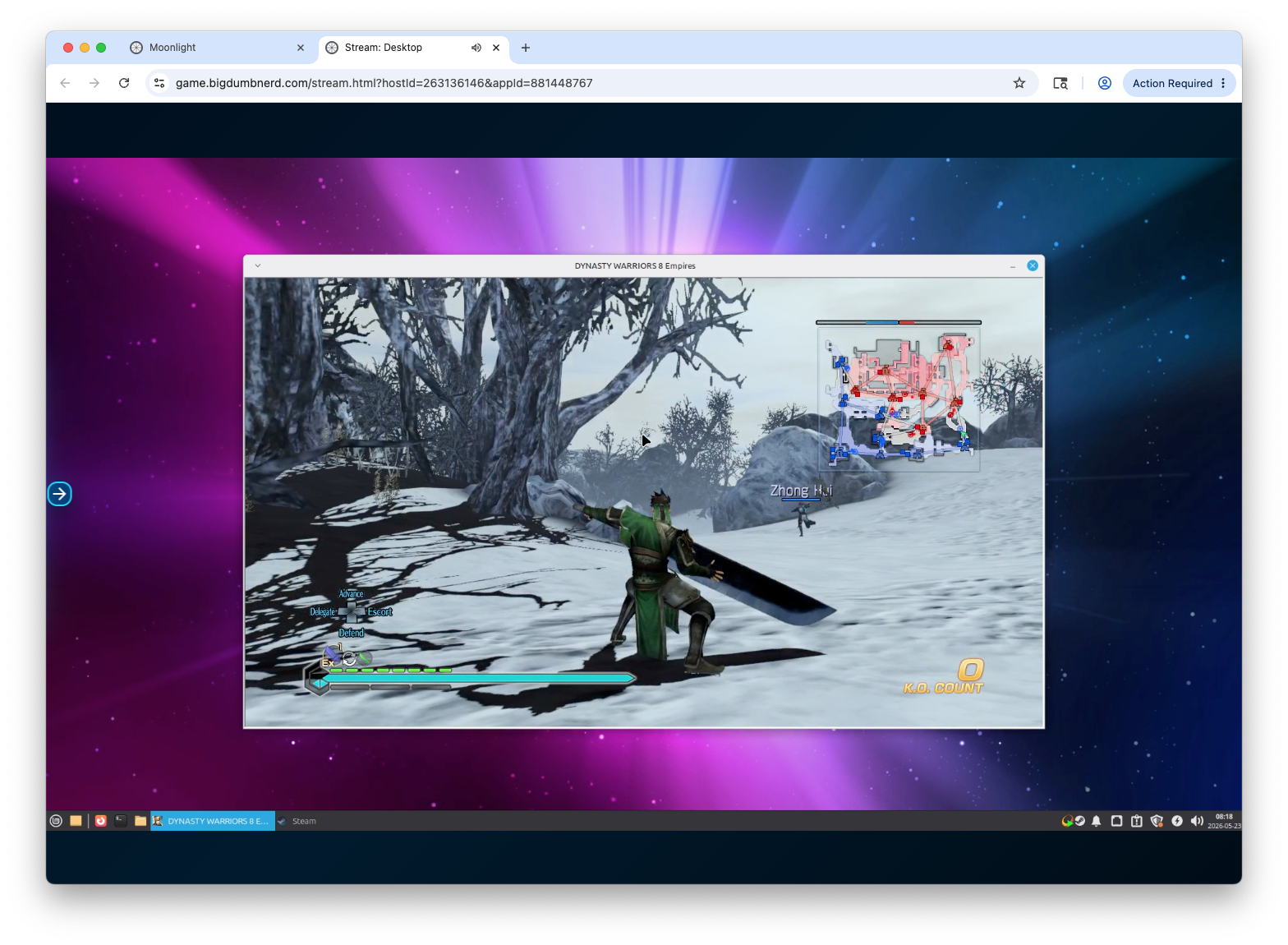
The Set Up.
Thanks to Shloobs' unparalelled generosity, I got my hands on an old Optiplex 7010 to replace the office PC that was my Opnsense box. After finding the low profile brackets for all my NICs, the swap to the older optiplex was relatively painless. The newly free office PC has an i5 8400, 16gb of ddr4, and most importantly, an open pcie 16x slot. I also happened to have a spare nVidia 1050 ti 4gb card that doesn't need additional power. It was clear what needed to happen.
I kept an open mind for the operating system. Bazzite was an early consideration, but Fedora Atomic, Wayland and I just have a hard time getting along. My other AMD powered linux box streams games beautifully with Debian 13 and it's my preferred distro. Unfornately, we need nVidia drivers 570+ for Sunshine latest, which is not easily available. We solved this issue the with The Ice Cream Machine by going with Pop OS, but this time I decided to go with Linux Mint XFCE. We don't technically even need a desktop environment, but XFCE is light enough it almost doesn't matter. With Linux Mint we get all the non-free firmware drivers as well as the familiar things like Apt- just like in Pop OS or Debian.
The Arcitecture
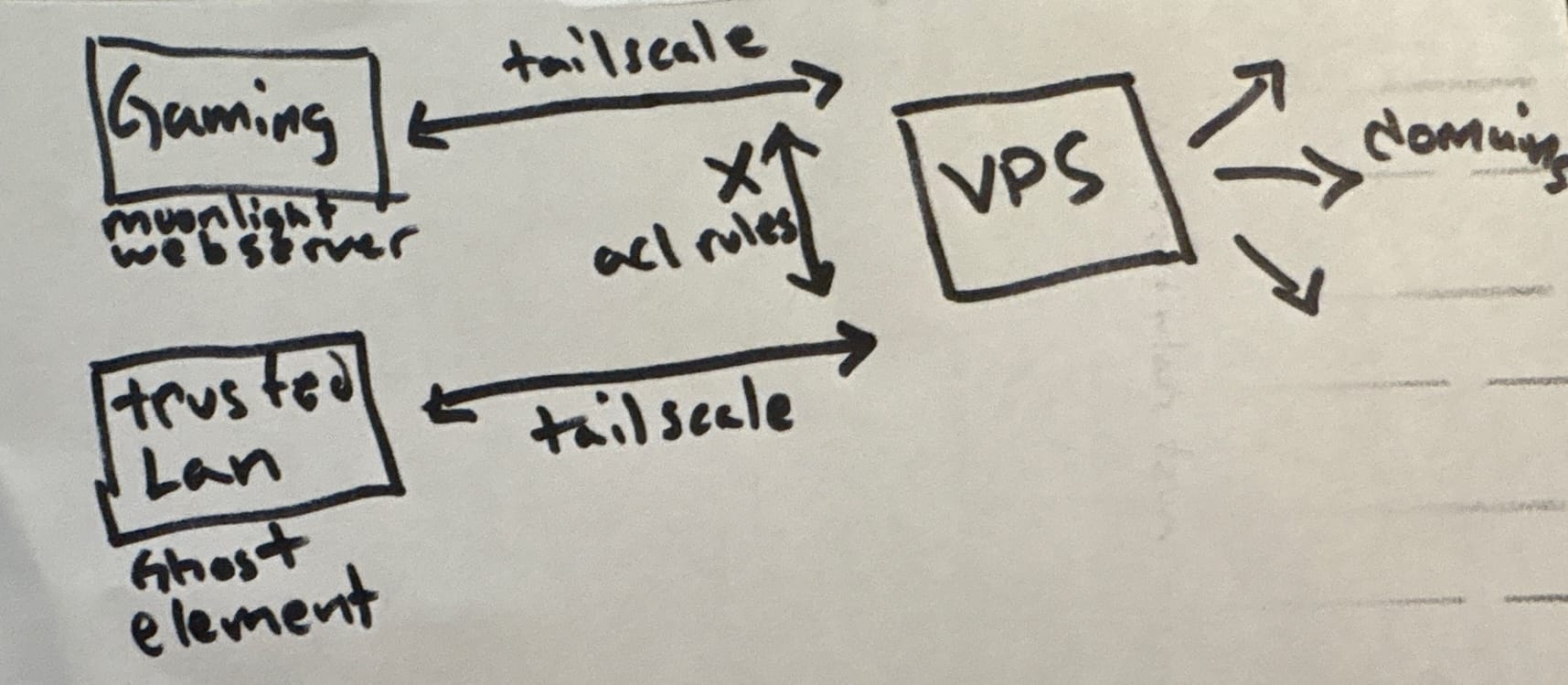
Shloobs, you have everything to accomplish this with The Ice Cream Machine except this part of the infrastructure. I rent a cheap 2-core server that runs Caddy, a reverse proxy. The reverse proxy sits in between the public facing domains and my computer, telling inbound traffic where to go while obfuscating my home WAN IP. It also handles https and TLS.
While my home IP is pretty stable, using Tailscale between the VPS and my computers eliminates that problem with its magic DNS, as well as adding another layer of obfuscation. While the cloud gaming computer and the rest of my network are tecnhically on the same Tailnet, ACL rules can be used to completely separate them. They can also be used to share your tailnet with my VPS, so holler when you want to do that.
I also have it behind Cloudflare Access, which requires SSO authentication. I use Entra, but there are other options like Okta, or even local ones like Authentik.
Cloudflare and Caddy can whitelist IPs and geoblock with some configuration. I keep most of the globe geoblocked. Actually, everywhere is blocked except a small selection of trusted IPs.
At home, the cloud gaming box has its own physical vlan. If I really need to, I can poke a hole in port 22, and of course I have ssh passwords turned off. If the cloud gaming machine is compromised, the blast radius shouldn't make it to the rest of my stuff. They'll probably just buy themselves some Steam games, and I'm sure gaben will save me.
The Webserver
What if we ran Moonlight on the same machine as sunshine, and then forwarded that to a webserver? MrCreativ3001 did exactly that.
First, we need to install the Moonlight webserver. There can be some nuance to how you run the container, (work in progress), so I'll leave that between you and your favorite LLM. As long as sunshine and docker compose are working, nothing else matters.
Your docker compose file should look something like this:
version: "3.9"

services:
  moonlight-web:
    image: ghcr.io/mrcreativ3001/moonlight-web-stream:latest
    container_name: moonlight-web
    restart: unless-stopped
    ports:
      - "3000:3000"
    user: "${UID}:${GID}"
Then run docker compose -up d from the same directory as your docker-compose.yaml
It will bind to port 8080, so we can reach it at tailscaleIP:8080 using a web browser.
So far so good, but this still needs tailscale. We're supposed to be gaming on our work computers. ;)
Exposing Yourself
You already have a Cloudflare domain. I’m not sure if this will work, but cloudflared can run in a Docker container. It's essentially a reverse proxy that connects directly to your DNS record in Cloudflare. This might work, but it will force TCP over UDP/WebRTC because Cloudflare won’t do TURN. Yes, that's the same issue we had with Matrix/Element in the beginning.
Some things don't like going through cloudflare's proxy, like TURN, and cloudflare don't like some things going through their proxy, like Jellyfin. We can get around this by using a VPS, or virtual private server. We can run a reverse proxy on that, then tunnel back to our server with tailscale. Only the VPS's IP is exposed, and tailscale handles encription for the hop back home. The reverse proxy on the vps, I use Caddy, handles SSL and https with Cloudflare.
{
    email [email protected]
    # Optional: enable Cloudflare DNS-01 if you want
    acme_dns cloudflare {env.CLOUDFLARE_API_TOKEN}
}

# -------------------------
# Ghost (Blog)
# -------------------------
blog.bigdumbnerd.com {
    reverse_proxy 012.345.678.90:9876
}
That's a really simple Caddyfile. We can add a Cloudflare API credentials file as an environmental variable, kind of like using a credentials file for your /etc/fstab entries. This is how it negotiates https. For the reverse proxy to work, all it needs is the domain and the address to send it. When register the domain in Cloudflare, we point it to our VPS's ip.
You Shouldn't Do This
This guide isn't super technical, and Claude got to read a lot of log files for me.
I had dreamed of leaving Fallout 2 open perpetually so I could fight a mole rat or two when I had extra time, but the mouse support is tricky. Most fps games are unplayable since it interprets the cursor at the edge of the screen at all times. Controllers work! Mostly. It's really sensitive to which controller it thinks is connected. I used hardwaretester/gamepad to troubleshoot the controller issues. That might be the most useful thing you take from this. Make sure your controller is port 1, and don't forget to check if Safari bound it to port 1 instead of Chrome. Streaming works fine in Safari, by the way.
This is probably just my hardware configuration, but getting Sunshine working was a big task. Apparently, there's some feature missing from my particular card and driver combination that prevents sunshine from using nvenc. Or VA-API. I fiddled around with the idea of encoding using the Intel HD 630, but it turned out it just needed a dummy plug, then nvenc started working. The Quadro on the Ice Cream Machine will have all the same issues.